Cinch Solutions
  • Home
  • Store
  • Download
  • Tutorial
  • Support
Manuals & tips

Quick tips for every Cinch app

3 short how-tos: one problem per page, one fix per page, each a minute's read. Grouped by app, newest first. For step-by-step documentation, open the user manual for that app.

Cinch Audio Recorder

2 tips User manual
Cinch Audio Recorder Error Code 2032: What To Do
Nov 26, 2026

Cinch Audio Recorder Error Code 2032: What To Do

Failed to connect server! ErrorCode: 2032 means the old Cinch server is gone for good. Why fixes on your PC fail, and what to install instead. Read tip
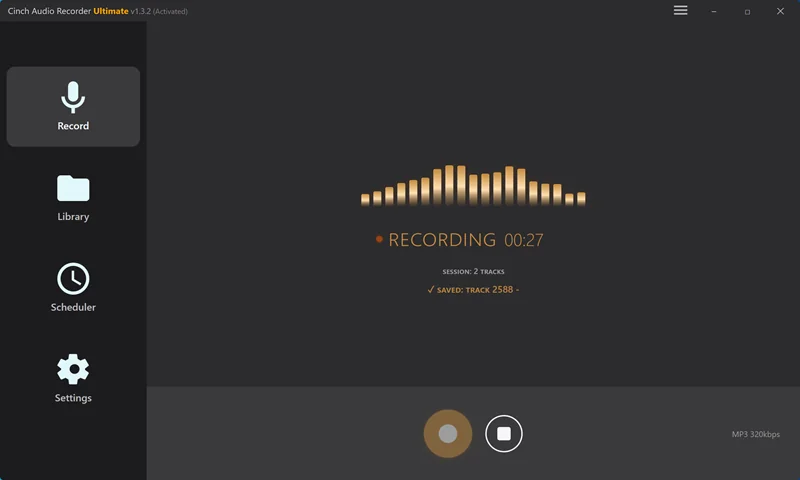
Cinch Audio Recorder: 5 Steps to High-Quality Audio
Nov 26, 2026

Cinch Audio Recorder: 5 Steps to High-Quality Audio

Recordings from Cinch Audio Recorder sound wrong? Fix missing titles, wrong splits and muffled audio in five one-minute steps, with the exact settings. Read tip

Licensing & Account

1 tip User manual
How to Move Your Cinch License to a New Computer
Nov 26, 2026

How to Move Your Cinch License to a New Computer

Move your Cinch license to a new computer: deactivate the old PC, activate on the new one, switch Windows↔Mac via support, and fix activation failures or a lost key. Read tip

Missing a fix? The manuals index has one guide per app, and support answers licence questions.

Cinch Solutions

Independent desktop audio software since 2017 for Windows and Mac — record streaming music, organize files, and get help through our support center.

Company

  • About Us
  • Support
  • Privacy Policy
  • Terms of Use
  • Cookie Policy
  • Refund Policy
  • EULA

Resources

  • Blog
  • Tutorials
  • Download Center
  • Support Center

Products

  • Audio Recorder Ultimate
  • StreamGrab
  • Tunarrange
  • Download Center

© 2026 Cinch Solutions. All rights reserved. All trademarks mentioned are the property of their respective owners.