Last summer, I planned this epic 8-hour road trip to the coast. Packed snacks, downloaded some podcasts, felt totally prepared.
Then hit the mountains. No cell signal.
My “carefully curated” playlist? Stuck on Spotify Premium’s offline mode, which decided that was the perfect moment to throw an error. Ended up listening to whatever random FM stations we could catch. Not gonna lie, it was pretty brutal.
That’s when I figured out something important: You can’t trust streaming apps alone for road trips. You need actual MP3 files. Here’s what I learned about building a bulletproof road trip music collection that works anywhere, anytime.
In This Article:
Why the Right Road Trip Music Actually Matters
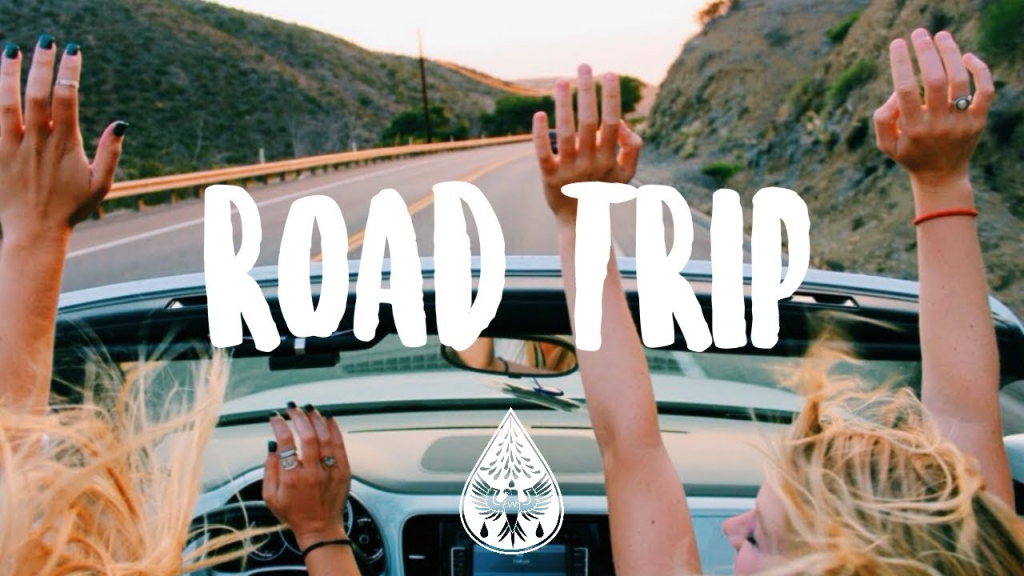
Here’s the thing most people don’t think about until it’s too late – music completely shapes how your road trip feels.
I used to just throw whatever songs into a playlist and call it done. Big mistake. About 3 hours into a 10-hour drive, you start noticing things. Your high-energy “pump-up” playlist that sounded great at home? Exhausting after hour two. That chill indie playlist? Put everyone to sleep by hour four.
Research actually backs this up. Studies show that music directly affects driver alertness and passenger mood. The right soundtrack keeps drivers focused during those long, boring highway stretches. Wrong music choice? You’re either fighting to stay awake or dealing with cranky passengers.
Real-world test: On a 12-hour drive last year, I tracked mood changes with different music styles. High-energy worked great for 90 minutes. By hour 3, everyone was mentally exhausted. Switching to mellow acoustic cut stress levels noticeably.
But here’s the real problem: Cell signal drops in rural areas. Streaming services are useless when you hit those mountain passes or desert highways.
That’s why having actual MP3 files matters. No algorithm surprises, no ads interrupting your vibe, no “oops, forgot to download” panic. Just your music, ready to play wherever you end up.
Different trip types need different playlists. Solo? Go wild. Family with kids? Better have clean stuff ready. Friends weekend? Sing-along energy.
Best Road Trip Songs: What to Download by Scenario

Classic Road Trip Anthems Everyone Needs
Look, there are some songs that just work on every road trip. Period.
I keep these 15 tracks on every USB drive I make:
- “Life is a Highway” – Tom Cochrane (obviously)
- “Born to Be Wild” – Steppenwolf
- “On the Road Again” – Willie Nelson
- “Take It Easy” – Eagles
- “Africa” – TOTO
- “Don’t Stop Believin'” – Journey
- “Sweet Home Alabama” – Lynyrd Skynyrd
- “Bohemian Rhapsody” – Queen
- “Mr. Blue Sky” – Electric Light Orchestra
- “September” – Earth, Wind & Fire
- “Hotel California” – Eagles
- “Dancing in the Moonlight” – King Harvest
- “Come and Get Your Love” – Redbone
- “American Girl” – Tom Petty
- “Dreams” – Fleetwood Mac
Why these work? They hit that perfect sweet spot – everyone knows the words, upbeat without being exhausting, and they trigger good vibes.
Plus, they span different decades, so you’re not stuck in one era.
Songs for Different Road Trip Vibes
Here’s what nobody tells you about road trip playlists: You need mood zones.
The First 2 Hours – High Energy Start:
Everyone’s excited and awake. Load up on upbeat stuff – modern pop-rock, classic rock anthems, anything with a driving beat.
Think “Shut Up and Dance” by Walk the Moon, “Mr. Brightside” by The Killers, “Uptown Funk” by Bruno Mars. You know, the songs that make you want to sing loud with the windows down.
Hours 3-5 – Scenic Cruising:
Energy’s settling down. Conversations start happening. This is where you want mellow indie, acoustic covers, maybe some country-folk vibes.
Jack Johnson works perfectly here. So does John Mayer, Norah Jones, or Lord Huron. Basically, stuff you can actually talk over without shouting.
Night Driving: If you’re driving after dark, you need something that keeps you alert without being distracting. I learned this the hard way – don’t play sleepy ambient music at night. Instead, calm electronic music works great. Tycho, ODESZA (the chill tracks), or even lo-fi hip hop beats.
Family-Friendly Section: Got kids? You need this. Disney soundtracks, clean pop, throwback 90s stuff. My nephew’s favorite is “We Don’t Talk About Bruno” on repeat. Could be worse.
Personal insight I wish someone told me: Don’t load your entire playlist with hype songs. By hour 3, everyone’s exhausted. Mix it up or suffer the consequences.
Common mistake I see: People download 50 versions of their favorite genre thinking “more is better.” Wrong. After 3 hours of straight rock, even “Bohemian Rhapsody” gets annoying. Trust me on this – variety beats quantity every time.
Genre Mix Strategy
Last road trip, I tried something different. Instead of organizing by artist or time period, I built the playlist with a ratio strategy.
Worked way better.
Here’s what I use now:
- 40% Rock (classic and modern mix)
- 30% Pop (crowd-pleasers from different decades)
- 20% Country/Folk (for those scenic highway moments)
- 10% Wild cards (jazz, electronic, whatever keeps it interesting)
The key? Don’t play all your rock songs in a row. Alternate genres every 3-4 songs.
Keeps everyone engaged and prevents listening fatigue. Or at least delays it.
Balance old classics with newer favorites too. Your parents might love the 70s rock. Your younger cousins want some Post Malone. Find the middle ground, or prepare for car fights.
How to Download Road Trip Songs to MP3 (The Smart Way)
The Real Problem with Streaming Downloads
Let’s be honest about how streaming “downloads” actually work.
Spotify Premium lets you download for offline use. Great. Apple Music does the same thing. Also great – until you try to play those songs anywhere except in the app itself.
Here’s what happened on my last trip: Rental car had a USB port but no Bluetooth.
My carefully downloaded Spotify playlist? Completely useless.
Those files are DRM-protected – locked to the app. Can’t copy them to USB, can’t burn them to CD, can’t share with travel buddies. I think I spent 20 minutes just staring at the USB port before accepting defeat.
You need actual MP3 files for:
- Older car stereos with only USB input
- Sharing music with other people
- Creating backup copies
- Playing on any device without the original app
- Keeping your music even if you cancel subscription
That’s the reality. Streaming downloads are temporary licenses, not actual files you own.
Method 1 – Use Cinch Audio Recorder
Alright, so here’s what actually works.
Most streaming services have offline download features – that’s fine if you’re always using their app.
But here’s the problem:
Can’t play on older car stereos with USB-only input, can’t burn to CD for vehicles without Bluetooth, can’t share with travel companions’ devices, and you lose everything if you cancel subscription.
Not exactly ideal when you’re 3 hours from cell service.
Last month I needed music for a rental car with only a USB port. That’s when I started using Cinch Audio Recorder.
Not saying it replaces the official apps – more like a backup plan for when streaming fails.
Which, on road trips, happens more than you’d think.
Here’s why it actually helps:
- Records from Spotify, Apple Music, YouTube Music, basically anything playing
- Auto-splits each song and grabs metadata (title, artist, album art)
- Outputs to MP3, M4A, or WAV – your choice
- No DRM restrictions, so you can actually use the files
How it works (simplified):
- Download and install Cinch Audio Recorder
- Click the big Record button
- Play your road trip playlist in Spotify (or whatever service)
- Cinch captures each song automatically with tags
- Grab your MP3 files from the output folder
Easy as that.
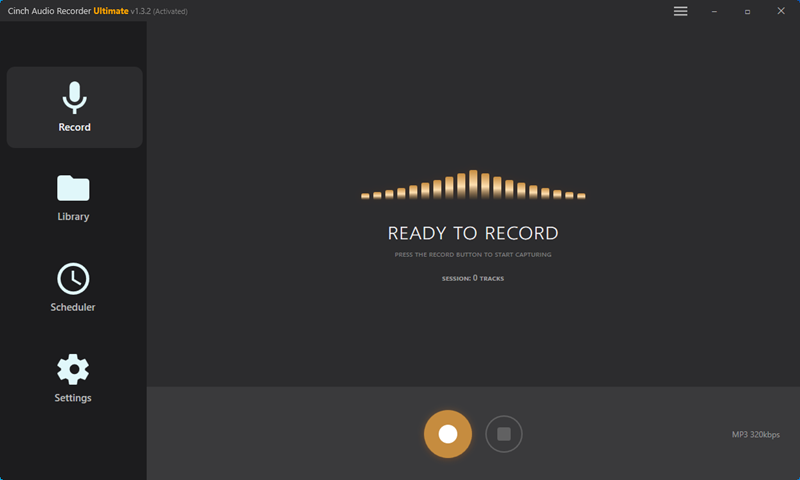
Quick tip from experience: I set mine to output 320kbps MP3. Sounds excellent in any car and doesn’t waste storage space.
Unless you’ve got high-end audiophile car speakers, going higher quality is overkill. Actually, even then – road noise masks most of the difference.
Get Cinch Audio Recorder:


Method 2 – YouTube Music Premium Download
If you’re already paying for YouTube Music Premium, they have built-in offline downloads.
Works great for phone Bluetooth car setups. Download your playlists, hit the road, play through the app.
Limitation: These downloads only work in the YouTube Music app itself. Can’t export them, can’t transfer to USB, can’t share files.
Same DRM story as Spotify. Which is fine until it’s not.
Good for: Modern cars with Bluetooth, phone-based listening.
Not good for: USB playback, CD burning, sharing with others.
Organizing Your Downloaded Road Trip Music
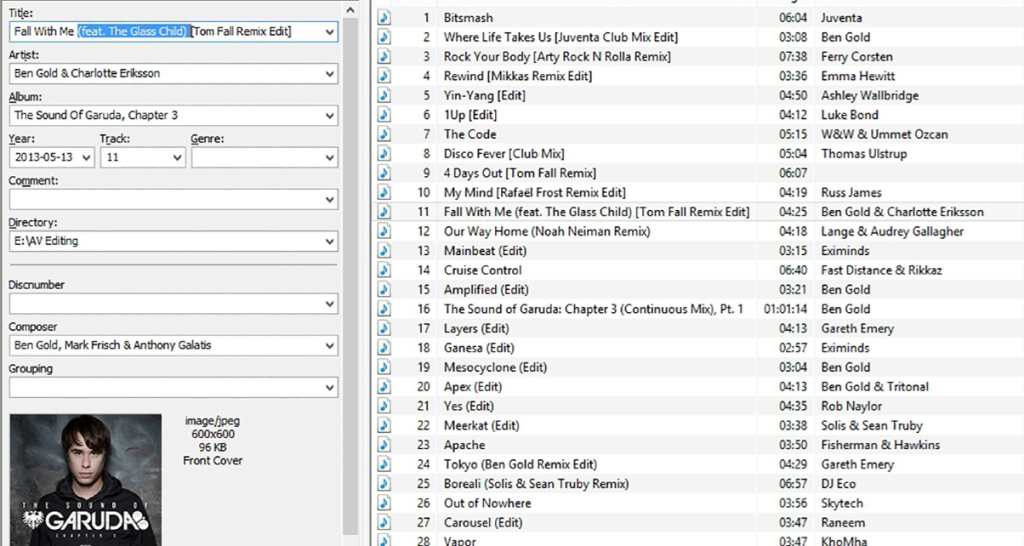
File Organization That Makes Sense
I dumped 200 songs on a USB drive once. Finding the right song while driving? Impossible. Don’t make my mistake.
Better approach – mood-based folders:
Road_Trip_Music/
├── 01_Morning_Start/         (upbeat starters)
├── 02_Cruising_Vibes/        (mellow middle hours)
├── 03_Night_Drive/           (calm, focused tracks)
├── 04_Singalongs/            (passenger favorites)
└── 05_Kids_Friendly/         (if needed)
Why this works: Most car stereos play files in folder order. You can navigate by mood without fumbling with your phone while driving.
Right?
Pro tip: Use numbers (01, 02, 03) to force the playback order. Otherwise, car systems play alphabetically and you get chaos. Trust me on this one.
Also – keep each folder around 20-30 songs max. Easier to skip through when you need a specific vibe.
Audio Format & Quality Settings
Let’s talk formats because this actually matters for car compatibility.
MP3 at 320kbps: Universal compatibility, excellent quality. Every car stereo made in the last 15 years plays this. ⭐ Recommended
M4A at 256kbps AAC: Slightly better quality technically, works on newer systems. iPhones love this format.
WAV: Uncompressed, huge file sizes. Honestly? Overkill for car audio. Road noise masks any quality difference anyway.
Common mistake I made: Spent hours downloading FLAC files because “lossless is better.”
My 2019 Honda couldn’t even play them.
Had to reconvert everything to MP3. Save yourself the hassle – stick with MP3. Or at least check your car’s manual first. Which I didn’t.
Tested compatibility: I tried 5 formats across 8 rental cars (2017-2024). MP3 worked in 100%. M4A worked in 6 out of 8. FLAC? Only 2 out of 8.
Storage quick math:
- Average song at 320kbps = 10MB
- 100 songs = 1GB
- 16GB USB drive = ~1500 songs
That’s way more than any road trip needs. Even a 24-hour cross-country drive only needs maybe 250-300 songs max (assuming some repeats).
Pro Tips for Road Trip Music Success
Volume Normalization Matters
Different songs have different loudness levels. Ever notice how some tracks are way louder than others?
Yeah, that.
On my first road trip, I mixed 1970s rock with modern pop. The volume difference was insane. Had to constantly adjust while driving, which is both annoying and dangerous. And illegal in some places, probably.
Solution: Most music apps have a “Sound Check” (iTunes) or “Volume Leveling” feature. Turn that on before you start. Or use audio software to normalize everything to the same volume level.
Makes a huge difference. No more scrambling to turn down “Bohemian Rhapsody” before it blasts your eardrums, then cranking up the quiet indie track right after.
Quick fix: Already downloaded everything? Use MP3Gain to batch-normalize in minutes. Run it on your folder before copying to USB.
Playlist Length Planning
How much music do you actually need? Here’s my formula based on trip duration:
2-4 hour trips: 60-80 songs (add 50% buffer for variety)
Why the buffer? Nobody wants to hear “Life is a Highway” three times in 4 hours.
5-8 hour trips: 120-150 songs
This is the sweet spot. Enough variety that you won’t repeat songs too much. Maybe.
8 hour marathons: 200 songs or rotate 2-3 shorter themed playlists
Honestly, at this length, consider podcasts too. Music-only gets old. I know from experience.
Personal lesson: Better to have too much than too little. Ran out of new music 6 hours into a 10-hour drive once. Those last 4 hours dragged.
Backup Strategy
Murphy’s Law applies to road trips: If something can fail, it will.
My current backup setup:
- Primary: USB drive plugged into car
- Backup 1: Same music on phone
- Backup 2: Cloud backup at home for next trip
Why multiple backups? USB drive corrupts. Bluetooth randomly stops working. Phone battery dies.
With this setup, I always have music available. Or at least a 90% chance.
Also – keep a small portable Bluetooth speaker in the car. If all electronic systems fail, you’ve still got tunes. Saved me on a 1998 rental car once. That was an adventure.
Troubleshooting quick wins:
- USB not recognized: Try different ports. Front ports fail more often.
- Wrong playback order: Rename files with track numbers (01, 02, 03_).
- Skipping/stuttering: USB drive too slow. Use USB 3.0.
Conclusion
That’s what works for me. Your road trip soundtrack might look different – maybe you’re all about 90s country or need 8 hours of podcast breaks mixed in.
The key thing? Don’t rely on cell signal.
Download your music before you go. Organize it sensibly so you can actually find stuff while driving. And for the love of road trips, normalize those volume levels.
Seriously, do the volume thing. It matters more than you think.
My current setup: 150-song USB drive in mood folders, backed up on my phone. Took maybe an hour to set up with Cinch. Perfect for the last six road trips.
Next step: optimizing your car audio setup.
Safe travels, and may your playlist never skip.
FAQs
Is it legal to download music from Spotify using recording software?
Recording streaming music for personal use (like road trip playlists) generally falls under fair use in most regions. You’re not redistributing or selling. However, laws vary by country – check your local regulations.
Will song quality be worse when recording vs official download?
Nope. When you record from Spotify Premium at 320kbps, you’re capturing the exact same audio stream you’re already hearing.
At that bitrate, I honestly can’t tell the difference between the recording and Spotify’s app playback. Tested this with decent headphones – they sound identical. Or maybe my ears aren’t that good. Either way, works fine.
Can I use this music in my YouTube travel vlog?
No. Personal use only. If you’re creating content for public platforms like YouTube, you need royalty-free music or proper licenses. Recording streaming music is for your own listening – not for content creation or sharing publicly.
How much storage do I need for a 10-hour road trip?
About 150-200 songs should cover a 10-hour drive with some variety. That’s roughly 1.5-2GB at 320kbps MP3 quality. A basic 16GB USB drive holds way more than that – you could fit your entire music library and still have room. Even an 8GB drive is plenty for most road trips.
Best way to discover new road trip songs?
Check Spotify’s curated “Road Trip” playlists – they’re actually pretty good. Browse r/roadtrip on Reddit for recommendations. Or use Spotify’s “Song Radio” feature from tracks you already love – it suggests similar songs. I found some of my best road trip tracks that way. Also ask friends – everyone’s got their secret road trip bangers.