Quick Summary
This review explains what NoteCable does, the account suspension risk, and when you're better off with safer alternatives like audio recorders or spotdl.
NoteCable does what it promises. What it doesn’t do is download from Spotify. And that distinction matters more than you might think, because using it puts your account at genuine risk.
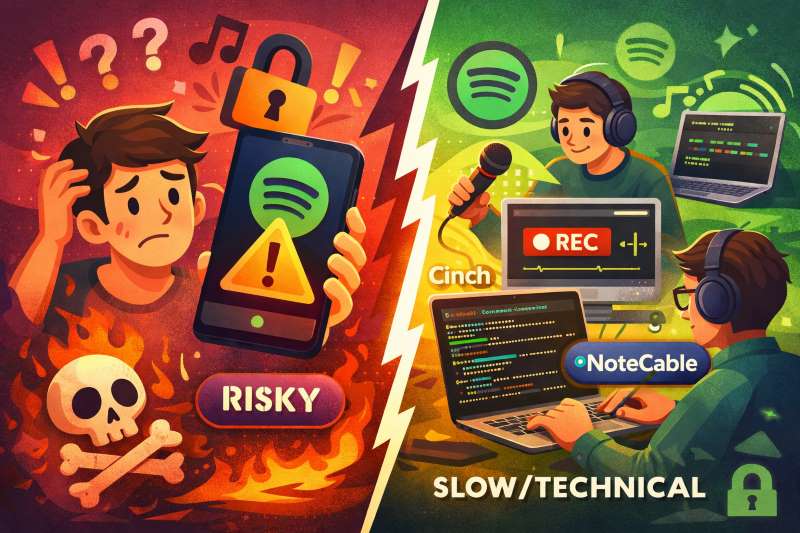
If you want Spotify music offline without Premium, or need to keep downloads after canceling your subscription, you’re choosing between three imperfect options: a paid downloader like NoteCable (fast but risky), an audio recorder like Cinch (safe but slow), or the free command-line tool spotdl (technical but free).
This review explains what you’re actually getting with NoteCable, whether the convenience justifies the trade-offs, and which option fits your situation best.
What NoteCable Actually Is (And How It Really Works)
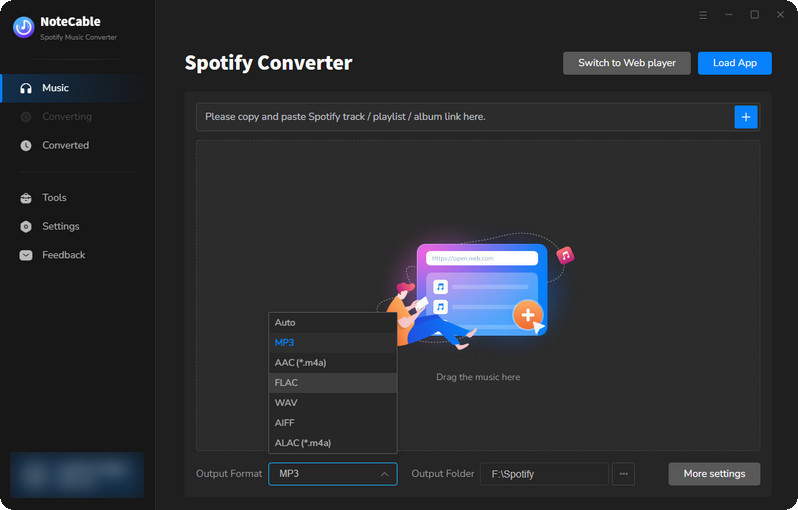
Let’s cut through the marketing. According to NoteCable’s official website, it’s a tool that converts Spotify music to MP3, AAC, FLAC, WAV, AIFF, or ALAC formats at up to 10x speed, with ID3 tags preserved. It works with both Spotify Free and Premium accounts, and you don’t need the Spotify desktop app installed—it uses a built-in web player.
But here’s the part that matters: NoteCable doesn’t download from Spotify’s servers.
Instead, it takes your playlist information—song titles, artists, albums—and searches for matching audio on YouTube or YouTube Music. The downloaded audio gets tagged with Spotify’s song information (like artist name and album) and saved to your computer. This is the exact same mechanism used by spotdl, a free open-source tool available on GitHub. The difference? NoteCable wraps it in a polished interface and charges you for the convenience.
For this to work, you must log into your Spotify account through NoteCable’s interface. That’s not optional—it needs access to your playlists to pull the metadata. Which brings us to the risk you’re actually taking.
The Security Risk Nobody Can Promise Away
Spotify’s official policy is unambiguous: using third-party tools to download music violates their Terms of Service, and accounts can be suspended or terminated for this. Spotify’s support page on disabled accounts makes clear that “stream-ripping” and similar activities are prohibited.
The risk isn’t theoretical. There are documented cases of users getting their accounts suspended after using tools like this. One notable example from a GitHub issue shows a zotify user whose account was suspended after downloading at high speed—50 minutes of music completed in about 5 minutes, which Spotify’s systems flagged as unusual behavior.
NoteCable advertises “10x conversion speed,” meaning it can download a 5-minute song in about 30 seconds. This feature makes detection easier. When you batch-download a large playlist at maximum speed, you’re creating a traffic pattern that looks nothing like normal listening. Even if the risk is low for any individual session, it compounds over time. There’s no guaranteed-safe way to use this software.
If account security matters to you, this is the core trade-off: convenience now, potential headache later. If your account does get suspended, you’ll need to contact Spotify support and hope for reinstatement—there’s no guarantee, and you may lose your playlists and listening history permanently.
Downloaders vs. Recorders: Two Different Approaches
Not every Spotify-to-MP3 solution works like NoteCable. There’s a fundamentally different approach: audio recorders.
Tools like Cinch Audio Recorder capture whatever audio your computer is playing—Spotify, YouTube, anything. You hit play on a song, the recorder captures it in real-time, and you end up with an MP3 file.
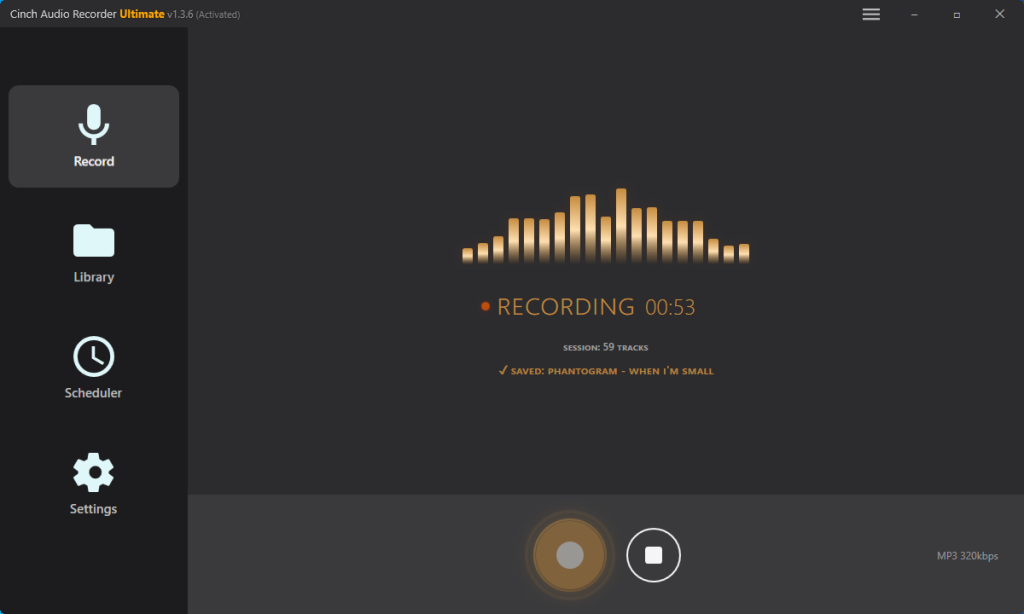
The key difference: recorders don’t need your Spotify login.
They don’t talk to Spotify’s servers at all. They simply record the audio stream playing through your system. This means:
- No account credentials shared with third-party software
- No unusual activity for Spotify to flag
- No Terms of Service violation tied to your account identity
In most jurisdictions, recording audio that plays on your own device for personal use falls into a legal gray area that’s generally considered acceptable. This isn’t legal advice—check your local laws.
The trade-off is speed. Recording happens at normal speed (the song’s actual duration). Want to capture a 500-song playlist? That’s 500 songs × average length. A downloader might finish in an hour; a recorder will take days of playback time.
Sound quality isn’t a clear win for either approach. Downloaders pull from YouTube, so quality depends on what’s available there. Recorders capture what your system outputs, which depends on your audio settings. Neither is guaranteed “lossless” despite marketing claims.
Who Should Consider NoteCable
NoteCable does what it promises. The question is whether what it delivers is worth the price and risk.
It works best if you have a small to medium collection you want offline quickly, you’re comfortable accepting a non-zero risk of account suspension, and GUI convenience matters more than saving money. Specific use cases: travel prep, archiving before a subscription ends, or getting music onto devices that don’t support Spotify. The “10x speed” setting increases detection risk, so consider using slower speeds even if it takes longer.
Your money is better spent elsewhere if your Spotify account is valuable to you (years of playlists, history, recommendations), you’re only grabbing a few songs occasionally, or you’re sensitive about sharing credentials with third-party apps. Same applies if you’re technically comfortable enough to use command-line tools, or if the legal gray area makes you uncomfortable.
For Spotify Free users specifically: The main appeal is getting offline access to music you can’t otherwise download. NoteCable costs $14.95 per month, $59.95 per year, or $129.90 for a lifetime license. But if you’re already not paying for Premium, spending this much on a workaround might not make financial sense. Consider whether a few months of Premium ($10.99/month) plus official downloads would serve you better.
For Premium users: The appeal is permanent, DRM-free files that survive subscription changes. But Premium’s offline feature already covers most use cases. Unless you need to play files on devices without Spotify support (old MP3 players, car stereos), the value proposition is weaker.
Three Paths Forward
Here’s how to decide based on your situation:
Choose NoteCable if: Speed matters more than peace of mind, you have a manageable music library to download, and you’re willing to accept some risk. Use slower conversion speeds (not the 10x option) to reduce detection risk, and never share your downloads publicly. If your Spotify account has years of playlists and history you can’t afford to lose, think twice.
Choose a recorder like Cinch if: Account security is non-negotiable. It avoids Terms of Service issues entirely. The free version lets you test the approach before committing, though you’ll be recording at normal speed (a 3-minute song takes 3 minutes to record).
Choose spotdl if: You’re comfortable with command-line tools and want the same YouTube-matching approach without paying. It’s functionally similar to NoteCable, just without the polished interface.
Bottom line: NoteCable delivers local files quickly with a friendly interface—but you’re handing your Spotify credentials to a third party, and users have been suspended for less. If speed matters more than peace of mind, it’s viable. Otherwise, a recorder or spotdl will serve you better with fewer strings attached.