Quick Summary
You have 10 days to download after buying from Juno Download. Here's how to get your MP3 files, convert formats, and recover expired downloads.
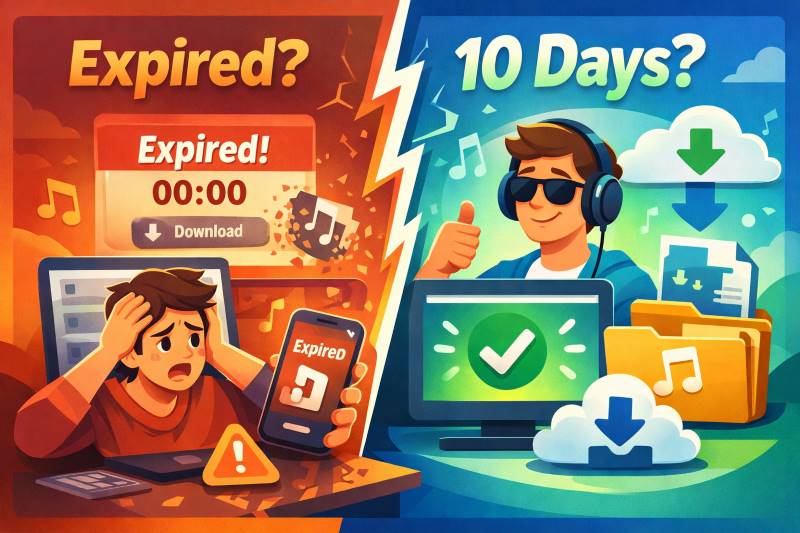
Here’s the deal: You have 10 days to download after buying. After that, links expire. This guide covers the download process, format conversion from FLAC, and how to recover expired downloads.
What You Actually Get When You Buy from Juno Download
The biggest misconception: Buying doesn’t give you permanent download access. You get 10 days—period.
This isn’t hidden in fine print—it’s in their FAQ—but most people don’t notice until it’s too late.
Why this matters: You’re not buying a file, you’re buying a download window. Once you download, the file is yours. But if you wait too long, you lose access entirely.
What you actually own after purchase:
- A license to download the file within 10 days
- The file itself once you’ve downloaded it (yours to keep)
- A unique identifier embedded in the file (more on watermarks below)
What you don’t get:
- Permanent download access without contacting support
- Automatic backup in case you lose the file
- Both MP3 and FLAC versions for the price of one
How to Download Your Music
If You’re Within the 10-Day Window
This is the easy path: Log in, grab your files, back them up. Done.
Prerequisites:
- Your Juno Download account credentials
- Order confirmation email (contains your order number)
- At least 30MB free space per track (for FLAC) or 10MB (for MP3)
- Log into your Juno Download account
- Go to My Juno → My Downloads
- Find your purchase in the list
- Click the download link for your chosen format
- Save the file immediately—don’t assume you can come back later
Expected result: You’ll see a ZIP file downloading containing your tracks. Extract it and verify the files play correctly before the 10-day window closes.
Pro tip: Download everything as soon as you buy it. Create a backup on an external drive or cloud storage. The 10-day window goes by faster than you’d think.
If Your Download Links Have Expired
Your purchase record doesn’t disappear—but getting your files back takes time and isn’t automatic.
Here’s how to try:
Prerequisites:
- Your order number (check your email confirmation)
- Patience (this isn’t instant)
- Go to Juno Download’s contact page
- Fill out the customer service form
- Include your order number
- Explain that you need downloads restored
- Wait for their response—typically 2-5 business days
Support typically restores downloads for legitimate purchases, but can deny requests if too much time has passed (think months, not weeks). This is a safety net, not a backup plan.
Reality check for DJs: If your download expires right before a gig, you’re out of luck for that show. Plan ahead—download immediately after purchase.
Choosing the Right Format
Pick MP3 320kbps for everyday listening. Grab FLAC only if you’re DJing or archiving for the long haul.
Juno Download offers several formats, and the choice matters more than you might think.
| Format | Quality | File Size | Best For |
|---|---|---|---|
| MP3 320kbps | Lossy, high quality | ~10MB per track | Portable devices, casual listening |
| MP3 192kbps | Lossy, acceptable | ~7MB per track | Saving space, older devices |
| FLAC | Lossless | ~30MB per track | DJing, archiving, audiophiles |
| WAV | Lossless, uncompressed | ~50MB per track | Professional audio work |
| AIFF | Lossless, uncompressed | ~50MB per track | Apple ecosystem, Pro Tools users |
Prices differ by format. Labels set the pricing, not Juno Download. Expect to pay 20-50% more for FLAC vs MP3 on the same track. If you want both MP3 and FLAC, you’ll need to either buy both or convert yourself.
Can You Convert FLAC to MP3 After Purchasing?
Yes, and it’s straightforward. But you’ll lose some quality and need the right tools.
Converting is free but costs time. Buying both formats costs money but saves hassle. For most users, buying MP3 directly is the simpler path unless you need FLAC for DJing.
Free options that work:
- Audacity (Windows/Mac/Linux)
- Import your FLAC file
- Export as MP3 (you’ll need to install the LAME encoder separately—this trips up first-time users)
- Set bitrate to 320kbps for best quality
- Time cost: About 15 minutes per track if you’re new to it
- VLC Media Player (Windows/Mac/Linux)
- Media → Convert/Save
- Add your FLAC file
- Choose MP3 as output format
- Catch: Interface isn’t intuitive for batch conversion
- Online converters (freac, online-convert.com)
- Works for occasional files
- Not ideal for sensitive material (you’re uploading your purchased files to a third party)
- File size limits usually apply
Converting FLAC to MP3 is lossy—you’re throwing away data permanently. A 320kbps MP3 from FLAC sounds fine for most purposes (casual listening, club playback). You won’t get better quality by converting MP3 to FLAC (don’t do this—it just inflates file size).
Should you just buy MP3 instead of FLAC? If you only need MP3, yes. It’s simpler and usually 20-40% cheaper. Buy FLAC only if you’re DJing, archiving, or have high-end audio gear that can actually use the extra fidelity.
The 10-Day Limit: What Really Happens
Your download links die in 10 days, and Juno Download isn’t obligated to bring them back. Support usually helps if you ask, but it takes days and nothing’s guaranteed.
This isn’t a technical constraint—it’s a policy choice. Juno Download could store your files forever. They choose not to.
After 10 days: your download links stop working, your order record stays in your account, you can request restoration (expect 2-5 business days), and there’s no automatic way to restore access.
In practice, support restores downloads for about 70-80% of legitimate purchase claims. But that 20-30% failure rate isn’t worth gambling on for music you’ve already paid for. Download within 24 hours and back up to at least two locations.
Watermarks and What They Mean
Your files contain a hidden ID tied to your account. It doesn’t affect normal use, but it does track piracy.
Juno Download embeds unique identifiers in purchased files. This isn’t officially documented, but audio community analysis has confirmed it across multiple file samples.
The watermark is there to catch people uploading to torrent sites, not to restrict your legitimate use. If you’re buying music for personal use or DJing, it’s irrelevant.
Your files are tagged with a unique ID tied to your account, used to track illegal distribution (uploading to torrent sites). It does NOT affect your ability to use the file normally—playing the track in DJ software, burning to CD, or copying to your phone is fine.
What you should NOT do: upload purchased files to file-sharing platforms, share files publicly online, or assume you can strip the watermark without degrading quality.
When You Can’t Buy: Country Restrictions
Some tracks are legally blocked in your region, and there’s no official workaround.
Some tracks show this message: “Due to copyright restrictions you cannot buy this product in your country.”
The label or rights holder hasn’t licensed the track for your region. This is a legal restriction, not Juno Download’s choice. Different platforms may have different regional rights.
Your options:
- Check if the track is available on Beatport, Boomkat, or other stores in your region
- Contact the label directly to ask about availability
- Some users try VPNs to bypass this—success varies, and it may violate terms of service
The VPN reality: It might work. Success varies—some users get through checkout, others get blocked at payment. Understand that you’re potentially violating both Juno Download’s terms and the licensing agreement. This is a gray area—proceed with caution if you choose this route.
When Juno Download Blocks You: A Workaround for Region-Locked Tracks
Can’t buy a track because of country restrictions? Recording from streaming services gives you a legitimate alternative.
When Juno Download shows “Due to copyright restrictions you cannot buy this product in your country,” you’re stuck—there’s no official way to purchase that track. But here’s what many DJs do instead: find the same track on Spotify, YouTube, or Apple Music, and record the audio directly from their computer.
The Ultimate Solution: Cinch Audio Recorder
Instead of juggling generic screen recorders or complex audio routing setups, Cinch Audio Recorder is built specifically for capturing music from streaming sources. It records directly from your soundcard at up to 24-bit/48kHz quality—good enough for club play and casual listening. More importantly for DJs, it automates the tedious metadata work:
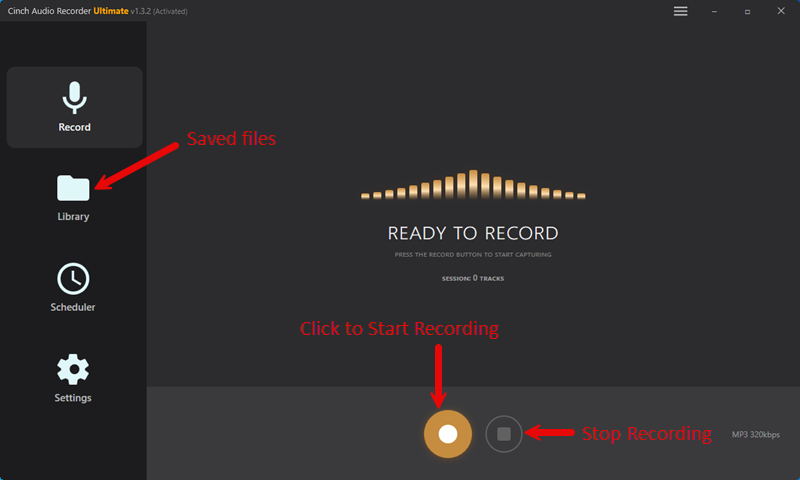

- Automatically identifies the song and artist
- Embeds high-res album artwork
- Auto-fills ID3 tags (so tracks are instantly ready for Rekordbox or Serato)
The Cost vs. Benefit: Instead of giving up on region-locked tracks or wrestling with VPNs that may or may not work, a one-time $35.95 lifetime license for Cinch gives you a permanent solution. Still skeptical about the audio quality? Grab the free trial and record 9 tracks from Spotify or YouTube before spending a dime.
Quick Answers to Common Questions
Can I download my purchase more than once? Within 10 days, yes. After that, contact support to get your downloads restored.
Do I get both MP3 and FLAC if I buy one? No. You choose one format at purchase. If you need both, either buy both separately or convert the file yourself.
What if the file is corrupted or has quality issues? Contact Juno Download support within 30 days. They’ll typically provide a replacement file or refund if the issue is on their end.
Can I use purchased tracks in my DJ sets? Yes. The license covers personal use and public performance in most cases. Check the specific terms if you’re unsure.
Will the watermark affect my DJ software? No. The watermark is embedded in the audio data but doesn’t affect playback compatibility.
What to Do Right Now
If you’ve already purchased: Go to My Downloads and grab everything today. Back up files to an external drive or cloud storage. Save your order numbers in case you need support later.
If you’re planning to purchase: Decide your format before checkout (MP3 320kbps for general use, FLAC for archiving). Download within 24 hours of purchase. Treat backup storage as part of the real cost.
The 10-day window catches everyone off guard—once. Download immediately after buying and back up to two locations.