Quick Summary
Your Spotify account says "disabled for fraudulent activity" but you don't know why. Learn the 5 real ban triggers, which ones are reversible, steps to appeal.
Your Spotify account was just disabled for “suspected fraudulent activity” and you have no idea what you did wrong. You can’t log in. Spotify won’t tell you the specific trigger. And normal support channels are blocked because you don’t have account access anymore.
The fastest action you can take right now: Submit Spotify’s anonymous contact form with your username, email, payment details, and proof of account ownership. Response times range from hours to weeks—there’s no guaranteed timeline.
Forget the vague “fraudulent activity” label. Here is the unfiltered truth about why you were banned, the exact back-door link to appeal it, and when you should accept that your account is gone.
Why Spotify Suspends Accounts: Official Reasons vs. What Users Report
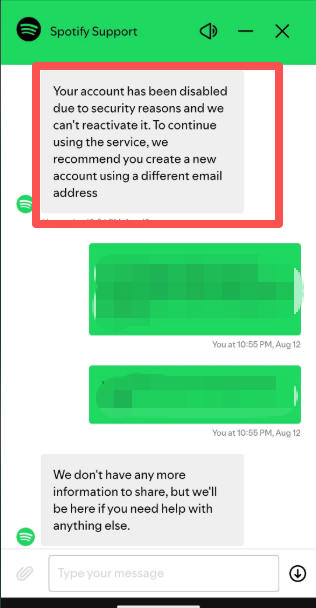
Spotify’s official support page states that accounts are disabled due to “suspected fraudulent activity” or violations of their Terms of Service. They don’t provide specific details about what triggered your particular ban, and they don’t publish statistics on how often appeals succeed.
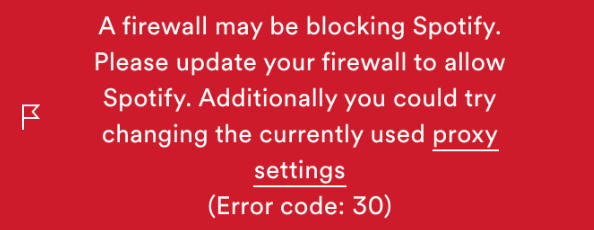
Error code 30? Some users report seeing “Error code 30” or similar login errors right before receiving the “disabled for fraudulent activity” email. The error code itself isn’t the ban—it’s the precursor. If you’re seeing repeated login errors followed by an account disabled email, the ban has already processed.
That vagueness isn’t accidental. Streaming platforms keep fraud detection criteria opaque. If they published exact thresholds, someone would game them. But users across Reddit and Spotify Community forums have identified patterns that consistently appear in ban cases.
Spotify officially confirms a few specific triggers: chargebacks (payment disputes initiated through your bank) trigger automatic account disable, Family plan address verification failures result in a 12-month lockout from joining any Family or Duo plan, only the Family plan manager’s account gets disabled for fraud while other members lose Premium but keep their accounts, and appeals require username, email, payment proof, and ownership verification.
Beyond those official statements, the patterns that show up repeatedly in community discussions paint a clearer picture:
Bank disputes filed by parents on teen accounts—often months after the charge, when the parent notices recurring payments they didn’t authorize. The teen’s Spotify account gets disabled, sometimes without them even knowing a chargeback happened.
Address verification emails that landed in spam folders or were simply missed. Family members report being kicked out with no warning, then discovering they’re locked out of Family plans for a full year.
Card expiration combined with bank switches that triggered automatic chargebacks without user intent. One community case: a user’s Lloyds card expired, they switched to TSB, and Spotify interpreted the card transition as a disputed charge.
Playback patterns that looked automated to Spotify’s detection systems—even when users were genuinely listening. The platform doesn’t disclose what patterns flag as suspicious. Industry-standard detection typically looks for continuous playback without breaks, rapid switching between tracks, consistent timing that suggests bot behavior rather than human listening.
The hidden technical reality: Device fingerprinting
Spotify was named in a 2024 report alongside Google and Meta for allegedly using device fingerprinting techniques that bypass Apple’s privacy protections. Device fingerprinting collects hardware identifiers—screen resolution, battery level, installed fonts, browser configuration—to recognize devices even when users clear cookies or switch accounts.
This matters for ban evasion. Spotify likely can identify when a banned user creates a new account on the same device. Industry patterns suggest streaming platforms use fingerprinting to prevent circumvention, though Spotify doesn’t officially confirm this. The practical implication: if your account was banned for fraud-related reasons, creating a fresh account on the same phone or computer may trigger another flag.
This doesn’t mean fingerprinting is confirmed for Spotify specifically. But understanding that streaming platforms operate this way helps explain why “just make a new account” often fails, and why legitimate users who share devices (families, dorms) sometimes get caught in crossfire.
Ban Waves: Why You Got Hit Even If Nothing Changed
Here’s something that catches users off guard: sometimes you get banned not because of what you did yesterday, but because Spotify runs periodic enforcement sweeps.
Community reports show Spotify conducts what users call “ban waves”—batch processing of flagged accounts that happens every few months. You might have triggered a detection flag weeks ago (a suspicious playback pattern, a third-party app connection, a payment anomaly), but the actual disable doesn’t hit until Spotify’s fraud team processes the backlog.
This explains why some users report: “I’ve been using this setup for 2 years with no problems, then suddenly banned overnight.” The trigger wasn’t yesterday’s behavior—it was weeks or months ago, and you’re just getting caught in the latest wave.
The practical implication: if you got banned and genuinely can’t identify what you did wrong, it might not be a specific action. It might be that your account was flagged during a routine sweep. This doesn’t make recovery easier, but it helps explain the timing.
The 5 Most Common Ban Triggers (With Real User Cases)
If you’re trying to figure out what went wrong with your account, these are the patterns that appear most frequently in community discussions.
1. Chargeback: The Ban That’s Hardest to Reverse
A chargeback happens when you dispute a charge through your bank or credit card company rather than requesting a refund directly from Spotify. Banks protect consumers by reversing unauthorized charges, but Spotify treats chargebacks as payment fraud.
Your account is immediately disabled. You lose login access entirely. If you had redeemed a gift card, that gets revoked too—if another account redeemed the same gift card, that account loses Premium.
One Reddit user’s bank automatically disputed a Spotify charge when their card expired and was replaced. They didn’t initiate the dispute—it was the bank’s fraud detection. Account disabled. Support response: “chargeback policy is automatic, no exceptions.”
Officially, chargeback bans are final. Some users report success by contacting Spotify support, explaining the chargeback was a bank error (not intentional fraud), and offering to repay the disputed amount. But success isn’t guaranteed, and response times stretch into weeks.
The critical decision: if you’re considering disputing a Spotify charge through your bank, understand you’re choosing between getting your money back and keeping your account. There’s no middle ground where you get both.
2. Family Plan Address Verification Failure
Spotify Family requires all members to verify they live at the same address as the plan manager. Verification happens via email—Spotify sends a link, you confirm your address matches.
The trap: The verification window is 7 days. If you miss it—email went to spam, you were traveling, you just didn’t notice—you’re not just kicked from that Family plan. You’re locked out of joining ANY Family or Duo plan for 12 months.
Multiple community threads describe users who didn’t receive verification emails, or whose legitimate addresses weren’t found in Spotify’s autocomplete system. They tried workaround addresses, got flagged, and faced the 12-month lockout.
Address verification failure is NOT the same as a fraud ban. You don’t lose your account—just Premium access and the ability to join Family plans for a year. Your playlists, saved songs, and listening history remain accessible on the free tier.
If you’re locked out, your options are: wait 12 months, start a completely new account (not recommended if your original was flagged), or switch to an Individual Premium subscription.
3. Third-Party App Usage
Spotify’s Terms of Service prohibit unauthorized third-party applications that interact with their service. The language is broad enough to cover modified Spotify clients (cracked Premium APKs), downloaders that require your Spotify login credentials, automation tools that control playback, and apps that scrape metadata or manipulate playlists.
The risk varies by app type. Tools that record system audio without needing your Spotify login (like Cinch Audio Recorder) don’t directly violate ToS because they don’t interact with Spotify’s servers—they just capture whatever audio plays through your speakers. But apps that ask for your Spotify credentials are explicitly risky.
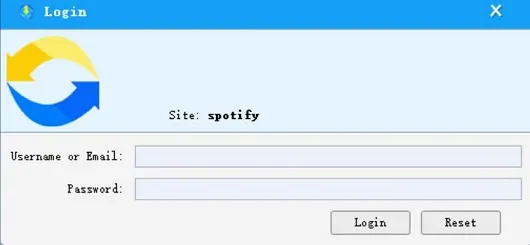
Users report bans after using third-party “Spotify downloaders” like Sidify that required login. The mechanism: Spotify detects unusual API access patterns from these tools, flags the account, and disables it.
4. Playback Patterns Flagged as Automated
This is the vaguest trigger and the hardest to prevent. Users report bans where they genuinely listened to music but Spotify’s systems flagged their behavior as suspicious.
What typically triggers automated flags in streaming platforms (based on industry patterns, not Spotify documentation): continuous playback for extended periods without human interaction (pauses, skips, track changes), consistent timing patterns suggesting scheduled playback rather than organic listening, and rapid track switching that doesn’t match typical user behavior.
One community member who ran a small business with background music playing Spotify throughout the day. Their account was banned as “fraudulent.” The likely trigger: continuous playback looked automated to detection systems.
The frustrating part: there’s no way to know exactly what pattern flagged you. Spotify doesn’t share detection criteria. If you listen to music in ways that might look automated—background music for work, overnight playback, consistent routines—you’re unknowingly increasing risk.
5. Account Sharing Outside Family Plan Terms
Spotify Individual accounts are licensed for personal use. The Family plan specifically allows sharing with household members who verify the same address.
Users report bans after sharing Individual account credentials with friends, Family plan members whose addresses didn’t pass verification, and using VPNs to spoof location for Family plan address requirements.
The Family plan GPS myth: Spotify officially states they do NOT track location for Family verification—they only check that the address text matches. But users still believe Spotify monitors GPS, and VPN discussions persist. Using VPNs to fake your address location violates ToS regardless of whether GPS tracking exists.
Step-by-Step: How to Appeal a Suspended Account
If your account was disabled, here’s the process that actually works—and what doesn’t.
The Working Process
1. Use the anonymous contact form (because you can’t log in)
Disabled accounts can’t access normal support channels. Spotify provides an anonymous contact form specifically for account recovery.
Where to find it: Go to https://support.spotify.com/us/contact-spotify-anonymous/ → select “I can’t log in to my account” → choose “My account was disabled without my consent” → fill out the form.
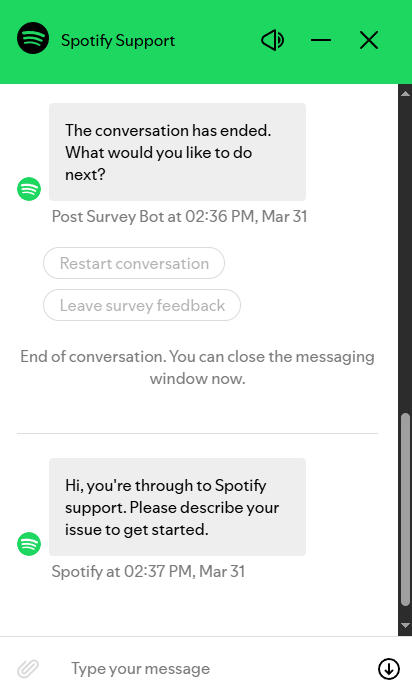
If you can’t find the above path, you can directly chat in the mode.
What you’ll need ready:
- Your Spotify username (the one that appears on your profile)
- Email address associated with the account
- Payment information (last 4 digits of card, approximate dates of recent charges)
- Proof of account ownership (screenshots of your profile, playlist names you created, or the original email confirmation when you signed up)
What should happen after you submit: You should see a confirmation page saying “Thank you for contacting us” and receive an automated email at the address you provided. If you don’t get the auto-reply within 10 minutes, check your spam folder—the email usually comes from an address containing “@spotify.com”.
2. Explain what happened clearly
If you know the trigger (chargeback, Family verification miss), state it directly. If you don’t know, describe your situation: “I’ve used this account for X years, never shared credentials, recently I noticed…”
For chargeback cases specifically: if the chargeback was a bank error (card expiration, bank switch, unauthorized charge you didn’t initiate), explain this. Offer to repay the disputed amount. This isn’t guaranteed to work, but users report better outcomes when they proactively address the payment issue.
3. Check your email spam folder
Response emails from Spotify support come from addresses that can look like spam. Many users report missing replies because they landed in spam filters.
4. Wait, but don’t wait indefinitely
Community reports show response times ranging from same-day to over two weeks with no reply. There’s no official timeline Spotify publishes.
What to expect: Support typically replies via email with a subject line like “Re: Disabled Account” or “Spotify Support.” The email may ask for additional verification or provide a decision.
If you get no response after 7-10 days: Submit a follow-up through the same anonymous form. Include your original submission date and reference number if you received one in the auto-reply.
5. Alternative contact: @SpotifyCares on Twitter/X
Some users report faster responses through Spotify’s social media support account. This isn’t official policy, but it’s worth trying if the contact form produces no reply.
What Doesn’t Work
Replying to noreply addresses: Automated support emails often come from addresses like noreply-support@spotify.com. Users report these replies get ignored. Use the contact form for follow-ups.
Creating new accounts to contact support: Making a fresh Spotify account just to post on community forums or access support creates additional risk—Spotify may flag the new account for circumvention.
Disputing the charge again: If your ban was triggered by a chargeback, disputing the charge again through your bank won’t help. It’ll reinforce Spotify’s fraud classification.
Advanced Strategy: GDPR Data Request as Leverage
If your appeal stalls with no response, some users turn to GDPR (for EU residents) or CCPA (for California residents) data access requests as pressure tactics.
Spotify was fined €5 million in 2023 (upheld in 2025 by Swedish Court of Appeal) for failing to properly handle data subject requests. The fine specifically cited inadequate responses to users requesting information about how their data was processed and why decisions (like account bans) were made.
To use this approach, submit a GDPR/CCPA data access request:
- Go to https://www.spotify.com/us/account/privacy/ (accessible even if your account is disabled)
- Find “Download your data” or “Data access request” section
- Request all data Spotify holds about your account including “decisions made about me” and “how those decisions were made”
- Note that Spotify is legally required to respond within 30 days (GDPR) or 45 days (CCPA)
Important framing: This is NOT an appeal mechanism. It’s an information-gathering right. Spotify won’t restore your account because you filed a GDPR request. But the request forces Spotify to acknowledge they hold data about your ban, some users report that GDPR requests triggered faster support responses, the data Spotify provides might reveal what triggered your ban (useful for a better appeal), and Spotify’s history of poor GDPR compliance suggests they may not respond properly—which creates documentation you could use if escalating to consumer protection authorities.
This approach is speculative. No verified cases show GDPR requests directly recovering banned accounts. But given Spotify’s documented compliance failures, it’s a tactic worth considering when standard appeals fail.
Family Plan Bans: Why the 12-Month Lockout Surprises Users
Family plan bans operate differently than individual account bans, and the consequences catch many users off guard.
When the Family plan manager gets banned, only the manager’s account is disabled. All other members immediately lose Premium benefits but retain their accounts on the free tier. Their playlists, saved music, and listening history stay intact.
When address verification fails, no accounts are banned. Members simply lose Premium and face a 12-month lockout from joining any Family or Duo plan. This is the consequence users consistently don’t expect.
Why the 12-month lockout exists: Spotify’s stated rationale is preventing “Family plan hopping”—users cycling through different Family plans to avoid paying Individual rates. Whether this is fair enforcement or overreach is debated in community forums, but the policy is official and documented.
Common failure scenarios include:
- Missed the 7-day window: The verification email arrived during a vacation or busy period, and the user didn’t notice it in time.
- Autocomplete mismatch: The user’s address didn’t appear in Spotify’s exact database, so they typed a slightly different format that failed verification.
- Spam folder trap: The email landed in spam and was discovered too late, after the 7-day window closed.
- Manager address change: The Family plan manager changed their address without notifying members, causing verification to fail for everyone on the plan.
What you can do after lockout: Wait 12 months (simplest, if you can tolerate free tier), start entirely new account (risky if original was flagged, plus you lose playlist history), or switch to Individual Premium subscription (more expensive but no lockout restriction).
What NOT to do: Use VPN to spoof address for a different Family plan (violates ToS, risks further action), try to rejoin the same Family plan before 12 months expire (system blocks it automatically), or create new accounts to circumvent (Spotify likely detects via device fingerprinting).
Chargeback Bans: The Permanent Account Loss Most Users Don’t Understand
Chargeback-triggered bans are the most consequential type, and users often make this mistake without realizing the tradeoff.
The decision you’re actually making:
When you dispute a Spotify charge through your bank, you’re choosing between two outcomes: your bank reverses the charge and you get your money back, or Spotify disables your account permanently.
You cannot have both. There’s no scenario where you get the refund AND keep the account.
Why users don’t realize this:
Banks make chargebacks easy. A quick call or online dispute, the charge gets reversed within days. The bank doesn’t tell you “this will kill your Spotify account.” Spotify’s notification often arrives later—sometimes weeks after the chargeback processed.
One parent discovered their teen had been paying for Spotify Premium using the parent’s card for several months. The parent disputed the charges as unauthorized. Account disabled. The teen didn’t even know the chargeback happened until they tried to log in.
The gray area: Some chargeback cases involve genuine fraud—someone stole your card and created a Spotify account. In those cases, you shouldn’t lose YOUR account (you never had one). But if the disputed charge was for YOUR account, even if the specific payment seemed unauthorized, Spotify treats it as payment fraud.
Recovery possibilities:
Official policy states chargeback bans are automatic and final. However, users report occasional success when the chargeback was clearly a bank error (card expiration, bank transition, automated fraud detection that misfired), user contacts Spotify explaining the situation wasn’t intentional fraud and offers to repay the disputed amount, or user provides documentation from the bank confirming the dispute wasn’t user-initiated.
This doesn’t mean recovery is likely. It means it’s worth trying if you genuinely didn’t intend to dispute the charge. But expect weeks of waiting, and don’t create new accounts while waiting—that compounds the problem.
What to do before initiating any bank dispute:
Try requesting a refund directly from Spotify first (doesn’t trigger account disable). If Spotify refuses, decide consciously: is getting this specific charge back worth losing your entire account? For unauthorized charges on a stolen card, dispute the charge but understand the Spotify account created with that card will be disabled (not your personal account if you have a separate one).
What NOT to Do: Appeal Mistakes That Compound the Problem
When your account gets banned, panic leads to bad decisions. Here are the actions that make recovery harder.
Creating multiple new accounts: Each new account you create on the same device increases the likelihood Spotify’s systems will flag you for circumvention. Device fingerprinting means Spotify can recognize when a banned user keeps trying from the same phone or computer.
The trap: Many users create a new account “just to check if the service works” or “to contact support.” This backfires—now you have two flagged accounts instead of one. If you absolutely must test whether Spotify works, use a friend’s device and don’t log into any account you care about keeping.
Replying to noreply addresses: Support emails from addresses like noreply-support@spotify.com typically generate no response when you reply directly. Users waste days waiting for replies that never come. Use the anonymous contact form for all follow-ups.
Disputing the charge again: If your ban was chargeback-triggered, disputing the charge through your bank again won’t reverse the account disable—it reinforces Spotify’s classification of you as a payment fraud risk.
Using VPN for Family Plan address: Using VPN to fake your location for Family plan address verification violates Spotify’s Terms of Service. Whether Spotify tracks GPS or not, spoofing your location data is explicitly prohibited. Users who try this report additional enforcement actions.
Expecting fast responses: Community reports document response times from hours to weeks. Some users hear back same-day; others wait 14+ days with no reply. There’s no official timeline Spotify publishes. Prepare for uncertainty, and don’t escalate to social media anger when support doesn’t reply instantly—it won’t help your case.
What To Do First (If You Were Wrongfully Banned)
Immediate action:
- Check your email for Spotify’s suspension notification (search “Spotify” + “disabled” in your inbox and spam folder)
- Go to the anonymous contact form:
- Visit https://support.spotify.com/us/contact-spotify-anonymous/
- Select “I can’t log in to my account”
- Choose “My account was disabled without my consent”
- Fill out all fields with: username, email, payment details (last 4 digits), and proof of ownership (screenshots, playlist names)
- Explain your situation clearly — state what you know (“I’ve had this account for X years, never shared credentials”) and what you don’t know (“I don’t know what triggered this ban”)
- Check spam folder daily for responses — support emails often land there
- If no reply after 7-10 days: Submit a follow-up via the same form
- Last-resort option (EU/California residents): If standard appeal stalls completely, consider a GDPR/CCPA data request through https://www.spotify.com/us/account/privacy/ — this won’t restore your account but may pressure a response.
When to Stop Waiting and Start Fresh
If you’ve submitted your appeal, waited two weeks with no response, tried a follow-up, and still can’t log in—the math changes. At that point, creating a new account becomes your only realistic path forward.
Before starting fresh:
You lose your playlist history and saved albums. You start from zero. But first, try to understand what probably triggered the original ban so you don’t repeat it.
Review the 5 common triggers in this guide: Was there a bank chargeback you didn’t realize happened? Did you use any third-party apps? Did you share your account? Knowing which one applies helps you avoid the same mistake.
If you decide to create a new account:
- Use a different device if possible (reduces fingerprinting risk)
- Use a different email address
- Use a different payment method
- Don’t try to recreate the exact same playlists immediately (can look suspicious)
Your next step:
- If you just got banned today → submit the anonymous contact form now (link in Step-by-Step section above)
- If you’re waiting for a response → check spam folder daily, follow up after 7-10 days
- If your appeal failed after 2+ weeks → the account is likely gone; follow the “start fresh” precautions above
Frequently Asked Questions
Can I make a new Spotify account after being banned for fraud?
Yes, but you must be careful. Because Spotify uses device fingerprinting, creating a new account on the same device or with the same IP address may trigger another instant ban.
Precautions if starting fresh:
- Use a different device if possible (borrow a friend’s computer or use a different phone)
- Use a completely new email address
- Use a different payment method (new card, different PayPal account)
- Clear browser cache and cookies, or use a different browser entirely
- Don’t try to recreate the exact same playlists immediately—this can look suspicious to automated systems
- Wait at least a few days after your appeal fails before creating a new account
The goal is to look like a genuinely new user, not a banned user circumventing enforcement.
How long does a Spotify suspension last?
If your account was disabled for “fraudulent activity” (like chargebacks, API abuse, or ToS violations), the ban is permanent unless successfully appealed. There’s no automatic expiration date.
However, if you failed a Family Plan address verification, you are not banned—you’re simply locked out of joining any Family or Duo plan for exactly 12 months. Your free account remains active during this period, and you can still use Spotify Free or switch to an Individual Premium subscription.
Will Spotify ever reply to my appeal?
Spotify does reply, but response times are completely unpredictable. Users report waiting anywhere from 2 hours to over 14 days.
What to expect:
- Some users receive same-day responses
- Others wait 7-10 days with no reply
- A minority report 2+ weeks of silence
Always use the anonymous contact form and check your spam folder daily. Replies often come from obscure support email addresses that get filtered as spam. If you get no response after 7-10 days, submit a follow-up through the same form.
Is Spotify Account Suspended the same as Error Code 30?
No. Error Code 30 is a login/authentication error that can occur for various reasons (network issues, corrupted cache, temporary server problems). However, some users report seeing Error Code 30 repeatedly right before receiving the “account disabled for fraudulent activity” email.
If you’re seeing Error Code 30: try clearing your app cache, reinstalling Spotify, or logging in from a different device. If you then receive an account disabled email, the ban has processed and you’ll need to go through the appeal process.
Can I recover my playlists if my account is permanently banned?
If your appeal fails and the ban is permanent, your playlists and saved music are lost. Spotify does not provide a way to export or transfer playlists from disabled accounts.
Some users report success by:
- Contacting support and requesting a one-time data export before permanent deletion (not guaranteed)
- Using third-party playlist backup tools (like TuneMyMusic or Soundiiz) if you still have any form of account access
- Manually recreating playlists on a new account (time-consuming but reliable)
The harsh reality: treat your Spotify playlists as rented, not owned. If playlist ownership matters to you, consider maintaining a local backup or using tools that don’t require account access (like Cinch Audio Recorder for offline copies).